

You've decided to build an MVP. Most guides cover the phases; few explain what you should be able to see, test, and decide at each stage. The MVP development process for startups runs through four phases: discovery, design, development, and launch — step by step from a finalized scope to a working product in front of real users. CB Insights found that 42% of startups fail from no market need — an MVP tests for that before the full budget is committed. Launch MVP Fast is an MVP development company built exclusively for non-technical founders; the pattern across every build is consistent: founders who understand what each phase produces stay in control.
- What the MVP development process covers
- The discovery phase: what goes into v1
- The design phase: from scope to something buildable
- The development phase: what good looks like from the outside
- The launch phase: what you get and what comes next
- The mistakes that derail MVP builds
- How to stay in control without writing code
What the MVP development process covers
An MVP — minimum viable product — is the smallest working version of a product that can be put in front of real users to test a core assumption. In mvp development meaning terms: real software, not a mockup or prototype, built to test one business assumption before the full budget is committed. The product development process is how that version gets built: a sequence of phases, each with defined inputs, outputs, and decision points. An MVP development process diagram would show these phases as sequential stages with feedback loops — each stage's output becomes the next stage's starting point.
The four MVP development stages every professional build runs through:
- Discovery — define exactly what's being built before any code is written
- Design — translate the scope into wireframes and high-fidelity mockups
- Development — build the product in testable increments on a staging environment
- Launch — ship to real users with a handover that gives you full code ownership
This isn't the only way to structure a build. Some teams collapse design into discovery. Some skip formal discovery entirely. The phases are a useful model, not a rigid checklist — but the decisions each phase handles are the same regardless of what anyone calls them.
Why this process reduces risk. The benefits of MVP development over a full product build come down to three things: lower cost to reach first validation, faster time to real user feedback, and a smaller surface area of risk at the point you're most likely to pivot. Amazon, Dropbox, and Airbnb all launched stripped-down first versions before building out. MVP examples from successful startups show how this pattern repeats across product categories. An AI MVP development process looks different in the specific technical decisions, but the same four-phase structure applies: the AI call is one feature in the product, not a substitute for the rest of the product development process.
Non-technical founders and first-time founders need to understand the structure to know what to expect at each stage: what you'll be asked to decide, what you'll receive, and what a reasonable outcome looks like. A founder who doesn't know what discovery produces can't tell whether what they received was good. The mvp software development process isn't different in structure for mobile or web builds — the phases are the same; the decisions inside each phase change based on what's being built.
CB Insights' analysis of startup failure causes puts the leading cause at 42%: no market need. An MVP is the lowest-cost way to test that assumption before spending a year and a full budget building something nobody uses. But only if the process that produces it is run well.
The discovery phase: what goes into v1
Discovery is the 2–4 weeks before a single line of production code is written. Its job is to answer one question: exactly what are we building?
The practical output of discovery is a scope document. That document covers:
- The user flows — the step-by-step paths each type of user takes through the product
- The feature list — what's in v1 and what moves to v2, with a rationale for each decision
- The data model — how information is structured and stored
- The integrations — which third-party services the product depends on (payments, email, authentication, analytics)
- The technical architecture — how the frontend and backend communicate, where data lives, and how the system will scale
Most professional teams also produce wireframes during discovery: low-fidelity sketches of each screen and interaction. These become the functional spec for design and development.
Your role as a non-technical founder in discovery is to answer questions about the product — not to design it. The development team drives the discovery process; you provide the domain expertise, the user research you've done, and the business constraints they need to make good decisions. The most important contribution you can make is clarity on two things: who the first user is, and what the one action is that the product must enable for that user on day one.
What you should receive at the end of discovery:
- A written scope document with every v1 feature defined in plain English
- Wireframes or a clickable prototype of the core user flows
- A revised timeline and cost estimate based on the finalized scope — this may differ from the initial estimate if the scope shifted during discovery, and that's normal and expected
If the document you receive is vague — "we'll build the core features" — push for specificity before signing off. A scope that can't be reviewed can't be evaluated. Everything in phases 2 through 4 is downstream of what gets decided here. Discovery is not the expensive phase. Undoing decisions made in development without a clear discovery document is.

The design phase: from scope to something buildable
Design translates the wireframes from discovery into high-fidelity mockups: pixel-accurate representations of every screen the product will have at launch. For teams using Figma, this is the Figma-to-MVP development process handoff — Figma designs become the buildable spec that mvp developers work from. This is the phase where the product stops feeling like a diagram and starts looking like a real thing.
Design produces:
- High-fidelity mockups of every screen in the core user flow
- A component library — the buttons, inputs, modals, and navigation elements used consistently across the product
- Interactive prototypes for testing the flow before any production code is written
The prototype from design is useful for two things: your own review and external validation. If you have potential users you trust, this is the cheapest point to show them something concrete and ask whether it makes sense. A design change here costs a conversation and a revised screen. The same change made during development costs a week.
What to evaluate during design:
The question is whether the flow makes sense for the user it's designed for. Walk through each core user journey yourself: sign up, complete the key action, see the expected result. If a step in the flow is confusing to you — someone who knows the product better than any new user will — it will be confusing to new users.
Three specific things to check:
- Zero state — what does a new user see when they first log in and have no data yet?
- Error states — what happens when a user does something wrong or the system fails?
- Edge cases — what does the product show when a user's situation doesn't match the expected default?
These are the screens designers skip first and developers build last. Catching them during design costs a conversation. Catching them after launch costs users.
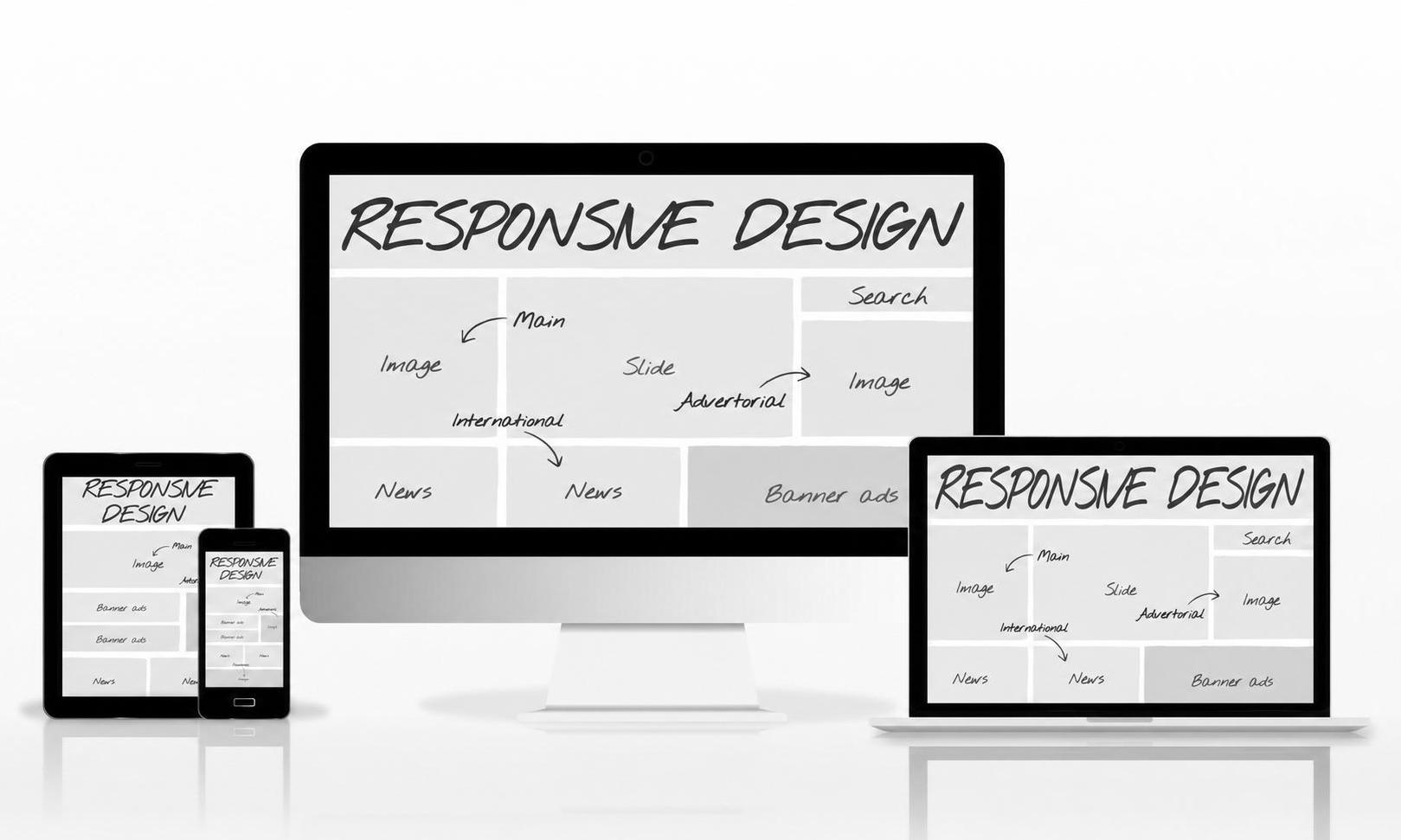
Design takes 2–3 weeks for a standard MVP scope. If design is compressed into a one-day handover — "we'll design as we build" — push back. Development built against vague design specs gets rebuilt. The difference between an MVP and a prototype is that an MVP requires real design decisions made before production code is written.
The development phase: what good looks like from the outside
Development is where the product gets built. On a professional team, this runs in sprints — typically one or two weeks — with working software delivered to a staging environment at the end of each sprint.
A staging environment is a private copy of the product that behaves like the live version but isn't accessible to the public. Test every feature in staging before it goes live. If a team develops without a staging environment — if the only way to see the product is to wait for launch — that's a structural problem, not a minor gap.
What a healthy development phase looks like from the outside:
- A staging URL you can access throughout the build, not just at the end
- Weekly updates with plain-English descriptions of what was completed and what's next
- A dedicated communication channel where you can track progress, ask questions, and flag issues
- A note at the end of each sprint on what was tested and how
- A feature-by-feature handover checklist as the build approaches completion
What to pay attention to on the staging environment:
Evaluate the behavior. Walk through the core user flows. Click things that aren't supposed to work. Try to break it. Submit empty forms. Enter invalid data. Close the browser mid-transaction and reopen it. Real users do exactly these things within the first hour.
Questions to ask regularly during development:
- What was completed this sprint versus what was planned?
- Are any features being scoped down from what was in the discovery document? Why?
- What is the current automated test coverage percentage?
- Is there anything in the build that needs to be revisited before launch?
The last question matters because even good development teams accumulate small technical shortcuts under timeline pressure. Asking the question regularly makes those shortcuts visible — which is the cheapest form of quality control available before launch.
For a closer look at what a production-ready development engagement looks like at each of these stages, the services page covers the build process and what's included in a professional fixed-price engagement.

The launch phase: what you get and what comes next
Launch is the moment the product becomes accessible to real users. But launch is more than going live — it's the handover that makes what you've built yours.
What you should receive at launch:
- Full access to all code repositories — owner access, not viewer access
- Full access to all infrastructure: hosting, databases, domain, and third-party API accounts should be under your name and payment method
- A codebase walkthrough — a session where the development team explains how the product is structured, where the main components live, and what a new developer would need to know to work in it
- Documentation: at minimum, a README covering setup, deployment, and the third-party services the product depends on
- A deployment checklist: the specific steps required to ship a future update without the original team's involvement
The handover determines whether you own the product or remain dependent on the team that built it. If your development agreement doesn't include handover documentation and code ownership transfer, add it before the build starts — not after.
What the first 30 days post-launch look like:
Real users take paths through the product that no one anticipated in design and staging. They misread instructions that seemed clear. They use the product on devices and in contexts the team didn't test for. The job of the first 30 days is collecting data and deciding what to build next.
Four metrics worth watching closely:
- Activation rate — what percentage of signups complete the core action the product is built for
- Drop-off points — where in the core flow are users abandoning, and what is the last action before they leave
- Error rate — what percentage of user sessions contain an error, and which errors are most common
- Support requests — what are users asking for help with (these are usually the features that were under-specified)
Startups with MVPs launched in under three months secure 2.5× more investment than those that take longer to reach users, according to CB Insights research. The mechanism is user data: faster launches produce it faster, and real user data is what validates the business to investors. For a breakdown of what the build costs before you get to launch, MVP development cost covers what drives the number and how to evaluate quotes.

The mistakes that derail MVP builds
Skipping discovery to save time upfront. This is the most expensive shortcut in the MVP product development process. Research on startup outcomes found that founders who skip validation and discovery waste an average of 6–9 months and $50,000–$150,000 building features no one uses. Discovery costs 2–4 weeks at the start. What it prevents is the mid-build rework that costs 3–4× more to undo than it would have cost to decide correctly the first time.
Adding features mid-build. Founders frequently decide during development that the product needs one more thing. Each addition extends the timeline, increases the cost, and adds surface area that wasn't in the original test coverage. The right time to add a feature is after launch, when real user data shows the demand. Before that, every addition is a hypothesis — and adding hypotheses during development is how MVPs become full products nobody's validated.
Treating staging as optional. Staging exists so the team catches bugs before real users encounter them. A founder who receives staging access but never uses it is carrying avoidable risk into launch. Walking through the core user flow yourself on staging, at least once per sprint, catches the obvious failures before they go live. The development team covers edge cases. But if you're not looking at what gets built, you lose the ability to catch misunderstandings before they're expensive.
Confusing "minimum" with "cheap." The "minimum" in minimum viable product refers to scope: the smallest feature set that can test the core hypothesis. It says nothing about code quality. A $20,000 build on demo-quality code and a $50,000 build on production-ready code test the same hypothesis. Only one of them survives contact with real users without a rebuild. Production-ready code — automated test coverage, clean architecture, documented handover — is what an MVP requires to function under real conditions.
Not defining "done" before the build starts. Define in writing who decides when a feature is complete, what counts as a bug versus a new feature request, and what happens if a feature turns out harder than estimated — does the timeline extend or does scope get cut? These sound like paperwork questions. In practice, they're the conversations that prevent the most common mid-build conflicts. Define them in writing in the contract, not in a conversation that's hard to reference later.
Anchoring on the demo. Demos test presentation. Products test behavior under real conditions. A product that runs cleanly through a rehearsed walkthrough can fail under 50 concurrent users, unexpected inputs, or the edge cases a founder never thought to test. The direct question to ask before accepting a build: "What percentage of the codebase has automated test coverage?" A specific, confident answer — "68% of the core flows" — is a better quality signal than any demo. No answer, or a vague one, tells you something important.

How to stay in control without writing code
Non-technical founders have one structural disadvantage in the development process: they can't directly evaluate the work. They can't read the code to tell if it's clean, or look at a database schema to know if it's scalable, or review a pull request to catch a security vulnerability.
This is real — but it's not the constraint it appears to be. The proxy signals for quality are learnable, and they're more than sufficient to distinguish a build that will hold up from one that won't.
At discovery: The quality signal is specificity. A scope document that names real features, real user flows, and real data structures is evidence the team has thought it through. "We'll build the core dashboard" is not a scope. "The dashboard displays the five metrics defined in section 3.2, filterable by date range, with a CSV export per metric" is a scope. Vagueness at discovery predicts surprises during development.
During design: The quality signal is coverage. Every user flow has a happy path and an unhappy path. A design that only covers the happy path will require emergency development work to handle errors, empty states, and edge cases. Ask to see the zero state and error state for every major screen before design is signed off.
During development: The quality signal is consistency between what was promised and what's in staging. If features from the scope document start dropping out — "we're simplifying that for now" — either the original scope was over-promised or the build is running behind. Either way, get a written explanation before development continues.
At launch: The quality signal is the handover. A team that delivers full code ownership, documented architecture, and a codebase walkthrough has built something designed to be maintained by someone else. A team that hands over a login and a zip file of code has built something designed to keep you dependent on them.

The overall framework: before each phase starts, identify one concrete deliverable that would tell you the phase went well, and ask for it by name. "At the end of discovery, I'd like a feature list I can read and sign off on." "At the end of each sprint, I'd like a summary of what was tested and how." Asking by name makes it part of the agreement — not an afterthought.
If you're evaluating build partners for an upcoming project, the Launch MVP Fast estimate tool produces a scoped timeline and cost estimate for your specific product in a few minutes — no call required. It's a useful baseline for knowing what your build should cost before you talk to any team.
Questions, answered.
The median MVP build runs 8–16 weeks from a finalized scope to launch. Discovery takes 2–4 weeks. Design takes 2–3 weeks. Development runs 4–8 weeks depending on feature count. A simple web product can ship in 6 weeks total. A marketplace or mobile app with multiple user types typically takes 12–16. Timeline and scope are directly linked: more features, more weeks.
Discovery is the 2–4 week period before any production code is written. The goal is to finalize exactly what's being built: which features are in v1, how the data flows, which third-party services the product depends on, and what the technical architecture looks like. The output is a written scope document and wireframes — the starting point for everything that follows. Skipping discovery is the most common source of mid-build surprises.
Three checks: the core user flow works end-to-end without errors on the staging environment, people outside the development team have tested the core flow, and the critical edge cases are handled — what happens when a user enters bad data, what happens at zero state. The threshold is those three checks passing. The purpose of launching is to get the product in front of real users and learn from how they use it.
Agencies offer fixed scope and accountability, which matters for a first build where you can't evaluate the code yourself. Freelancers are cheaper per hour but carry more risk — disappearing mid-project is common enough to be a real planning variable. In-house teams take 6+ months to hire and cost more annually than a complete MVP build. For a non-technical founder building v1, a fixed-price agency is the most predictable path to a production-ready product.
A prototype tests design and user experience — it's clickable but not functional. An MVP is a working product: real backend, real data, real user flows that execute end-to-end. Prototypes validate the interface. MVPs validate the business model and core functionality. The two steps are sequential in most professional processes — a prototype phase before writing production code is standard, not optional.
The mvp app development process for mobile follows the same four phases — discovery, design, development, launch — but adds mobile-specific decisions: iOS vs Android first, app store submission timelines, push notification setup, device testing across screen sizes, and whether to use a native or cross-platform framework. Most non-technical founders launch web first because it's faster and cheaper to iterate on. Mobile adds 2–4 weeks to a typical timeline and $5,000–$20,000 to a typical budget.